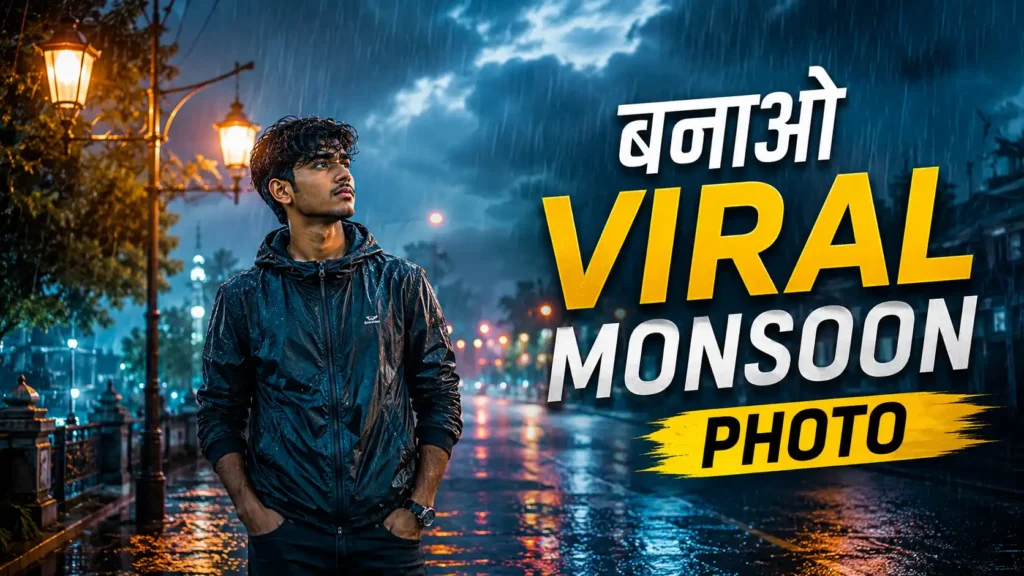
मानसून का मौसम आते ही बारिश, बादल, गीली सड़कें और ठंडी हवाएं फोटो को एक अलग ही खूबसूरत लुक देती हैं। अगर आप अपनी सामान्य फोटो को Instagram Viral Monsoon Cinematic Photo जैसा शानदार बनाना चाहते हैं, तो सही AI Photo Editing Prompt की मदद से यह काम आसानी से किया जा सकता है।
2026 में cinematic और aesthetic फोटो एडिटिंग का ट्रेंड सोशल मीडिया पर काफी पसंद किया जा रहा है। खासकर बारिश के मौसम में ऐसी तस्वीरें ज्यादा आकर्षक लगती हैं, जिनमें गीली सड़क, हल्की बारिश, soft lighting, cinematic colors और natural skin tone दिखाई देती है।
इस आर्टिकल में आपको एक आसान Monsoon Cinematic Photo Editing Prompt मिलेगा, जिसे आप AI photo editing tools में इस्तेमाल करके अपनी फोटो को बारिश वाले cinematic look में बदल सकते हैं।
Instagram Viral Monsoon Cinematic Photo Editing क्या है?
Monsoon Cinematic Photo Editing का मतलब अपनी सामान्य फोटो को ऐसा लुक देना है, जिसमें बारिश के मौसम की खूबसूरती और फिल्म जैसा cinematic feel दिखाई दे।
इस तरह की एडिटिंग में आमतौर पर:
- हल्की और नेचुरल बारिश
- गीली सड़क और पानी के reflections
- dark और moody background
- soft cinematic lighting
- natural skin tone
- हल्का fog या mist
- background में bokeh lights
- teal, blue और warm color tones
जैसे elements का इस्तेमाल किया जाता है।
Viral Monsoon Photo के लिए कौन-से Elements जरूरी हैं?
1. Cinematic Rain Effect
फोटो में बारिश बहुत ज्यादा artificial नहीं दिखनी चाहिए। हल्की और natural बारिश फोटो को ज्यादा realistic बनाती है।
2. Wet Road Reflection
गीली सड़क पर street lights या आसपास की रोशनी का reflection फोटो को cinematic look देता है।
3. Soft Lighting
चेहरे पर soft और natural light होनी चाहिए। इससे फोटो ज्यादा attractive दिखाई देती है और skin tone भी natural रहती है।
4. Moody Background
Dark clouds, हल्का fog और blurred background फोटो में एक dramatic और cinematic feeling जोड़ सकते हैं।
5. Natural Face और Skin Tone
AI editing के दौरान चेहरे की पहचान, skin texture और facial features को natural रखना बहुत जरूरी है। ज्यादा smooth या plastic skin फोटो को fake बना सकती है।
Instagram Viral Monsoon Cinematic Photo Editing Prompt
नीचे दिया गया prompt अपनी original photo के साथ AI photo editing tool में इस्तेमाल कर सकते हैं:
Editing Prompt:
Transform this photo into a realistic cinematic monsoon scene. Keep the person’s original face, identity, facial features, hairstyle, body shape and natural skin tone unchanged. Add soft natural rainfall, a beautiful cloudy monsoon sky, wet roads with realistic reflections, subtle water droplets, soft mist and cinematic background bokeh. Use moody blue and teal tones with warm highlights from street lights. Create realistic depth, soft contrast, natural shadows and professional movie-style color grading. Keep the subject sharp and the background slightly blurred. Make the rain, lighting and reflections look completely natural and photorealistic. Avoid over-editing, artificial skin, distorted face, extra fingers, blurry eyes, unrealistic objects or excessive effects. High detail, realistic photography, cinematic composition, premium Instagram aesthetic, 4K quality.
इस Prompt से फोटो को बेहतर कैसे बनाएं?
अगर आप ज्यादा realistic result चाहते हैं, तो अपनी फोटो ऐसी चुनें जिसमें चेहरा साफ दिखाई देता हो और lighting बहुत खराब न हो।
AI editing करते समय इन बातों का ध्यान रखें:
- अच्छी quality वाली original photo इस्तेमाल करें।
- चेहरा पूरी तरह visible होना चाहिए।
- बहुत ज्यादा filters लगाने से बचें।
- बारिश को natural रखें।
- Background में हल्का blur रखें।
- Skin tone को original के करीब रखें।
- जरूरत के अनुसार brightness और contrast adjust करें।
- Final photo को Instagram के हिसाब से crop करें।
Instagram के लिए कौन-सा Aspect Ratio रखें?
Instagram पर portrait-style photo के लिए 4:5 ratio एक अच्छा विकल्प हो सकता है। इससे फोटो मोबाइल स्क्रीन पर ज्यादा जगह घेरती है और देखने में आकर्षक लगती है।
अगर आप Reels या Story के लिए image तैयार कर रहे हैं, तो 9:16 vertical format उपयोग कर सकते हैं।
Monsoon Cinematic Photo को Viral Look कैसे दें?
सिर्फ बारिश जोड़ने से फोटो cinematic नहीं बनती। इसके लिए color grading, composition और lighting का संतुलन भी जरूरी है।
आप फोटो में:
- Blue और teal shadows
- Warm yellow street lights
- Soft highlights
- हल्का film grain
- Background bokeh
- Natural rain drops
- Subtle fog
का इस्तेमाल कर सकते हैं।
ध्यान रखें कि effects बहुत ज्यादा न हों। Natural और realistic editing अक्सर ज्यादा premium दिखाई देती है।
FAQs
Instagram Monsoon Cinematic Photo Editing Prompt क्या है?
यह एक AI editing prompt है, जिसकी मदद से सामान्य फोटो में बारिश, गीली सड़क, cinematic lighting, reflections और monsoon atmosphere जैसे effects जोड़े जा सकते हैं।
क्या यह Prompt मोबाइल से इस्तेमाल किया जा सकता है?
हाँ। अगर आपके AI photo editing tool में image upload और prompt-based editing की सुविधा है, तो आप मोबाइल से भी इसका इस्तेमाल कर सकते हैं।
क्या चेहरे में बदलाव होगा?
ऊपर दिए गए prompt में original face, identity और facial features को बनाए रखने के लिए स्पष्ट निर्देश दिए गए हैं। फिर भी अलग-अलग AI tools का result अलग हो सकता है।
Monsoon Photo के लिए कौन-सा color अच्छा है?
Blue, teal और warm yellow tones बारिश वाली cinematic photo में अच्छा combination बना सकते हैं। हालांकि final color आपकी original photo और background पर निर्भर करेगा।
Instagram के लिए फोटो का कौन-सा size बेहतर है?
Portrait photo के लिए 4:5 ratio और Story/Reels जैसे vertical content के लिए 9:16 ratio उपयोग किया जा सकता है।
क्या इस Prompt से realistic बारिश बनाई जा सकती है?
हाँ, prompt में natural rainfall, water droplets, wet road reflections और realistic lighting जैसे निर्देश देने से ज्यादा realistic result पाने में मदद मिल सकती है।
Conclusion
अगर आप अपनी सामान्य फोटो को एक शानदार Instagram Viral Monsoon Cinematic Photo में बदलना चाहते हैं, तो ऊपर दिया गया AI editing prompt आपके लिए उपयोगी हो सकता है। इसमें बारिश, wet road reflection, cinematic lighting, moody background और natural skin tone जैसे जरूरी elements शामिल हैं।
सबसे अच्छे result के लिए हमेशा high-quality original photo इस्तेमाल करें और editing को natural रखें। बहुत ज्यादा rain effects या filters लगाने के बजाय realistic cinematic look पर ध्यान दें। इससे आपकी मानसून वाली फोटो ज्यादा professional और Instagram-friendly दिखाई दे सकती है।