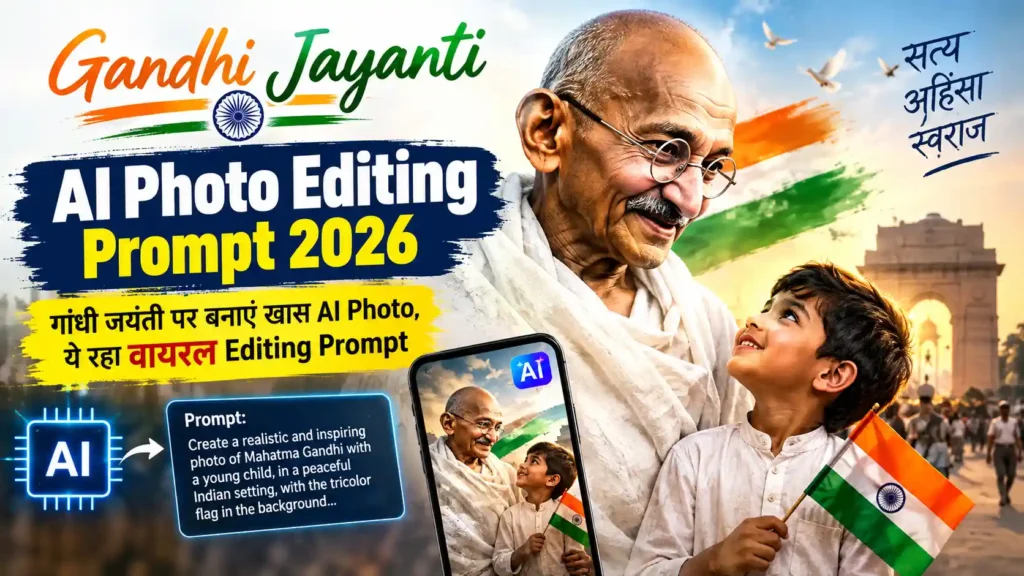
हर साल 2 अक्टूबर को Gandhi Jayanti मनाई जाती है। यह दिन राष्ट्रपिता महात्मा गांधी की जयंती के रूप में देशभर में मनाया जाता है। गांधी जयंती के मौके पर लोग सोशल मीडिया पर गांधी जी को श्रद्धांजलि देते हुए अपनी तस्वीरें शेयर करते हैं।
अगर आप भी इस गांधी जयंती पर अपनी AI Photo को एक खास और आकर्षक लुक देना चाहते हैं, तो AI Photo Editing Tools की मदद से ऐसा कर सकते हैं। इसके लिए आपको अपनी फोटो अपलोड करके नीचे दिया गया Gandhi Jayanti AI Photo Editing Prompt 2026 इस्तेमाल करना होगा।
इस Prompt की मदद से आपकी सामान्य फोटो को गांधी जयंती थीम के अनुसार एडिट किया जा सकता है। आप इसमें महात्मा गांधी की तस्वीर, चरखा, तिरंगा और देशभक्ति से जुड़े एलिमेंट्स शामिल कर सकते हैं।
Gandhi Jayanti AI Photo Editing Prompt 2026 क्या है?
Gandhi Jayanti AI Photo Editing Prompt 2026 एक ऐसा AI Prompt है, जिसका इस्तेमाल करके आप अपनी फोटो को गांधी जयंती स्पेशल थीम में बदल सकते हैं।
AI Image Editing Tool आपकी Original Photo के चेहरे और मुख्य पहचान को बनाए रखते हुए बैकग्राउंड, कपड़े, लाइटिंग और आसपास के विजुअल एलिमेंट्स को Prompt के अनुसार बदल सकता है।
इस तरह आप गांधी जयंती के लिए एक Creative और Social Media Ready Photo तैयार कर सकते हैं।
Gandhi Jayanti Special AI Photo कैसे बनाएं?
AI Photo बनाने के लिए आपको किसी ऐसे AI Image Editor की जरूरत होगी, जिसमें Image Upload और Prompt-Based Editing की सुविधा हो।
Step 1: अपनी फोटो चुनें
सबसे पहले अपनी एक साफ और अच्छी क्वालिटी वाली Portrait Photo चुनें। फोटो में चेहरा स्पष्ट दिखाई देना चाहिए।
Step 2: AI Image Editor खोलें
किसी AI Image Editing Tool में अपनी फोटो Upload करें, जिसमें आप Prompt के जरिए फोटो को Edit कर सकते हैं।
Step 3: Gandhi Jayanti Prompt डालें
नीचे दिया गया Prompt Copy करके AI Editor में Paste करें।
Step 4: Photo Generate करें
Prompt डालने के बाद Generate या Edit विकल्प चुनें। AI आपकी फोटो को गांधी जयंती थीम के अनुसार तैयार करेगा।
Step 5: Final Photo Save करें
फोटो तैयार होने के बाद उसे देखकर आवश्यकतानुसार दोबारा Generate कर सकते हैं। पसंद आने पर उसे सोशल मीडिया पोस्ट, WhatsApp Status या Profile Photo के रूप में इस्तेमाल किया जा सकता है।
Gandhi Jayanti AI Photo Editing Prompt
Editing Prompt:
Create a realistic and elegant Gandhi Jayanti special portrait using the uploaded photo as the main subject. Keep the person’s original face, facial features, skin tone, hairstyle, identity and natural expression unchanged. Create a respectful Indian patriotic Gandhi Jayanti theme for 2 October 2026. Add a beautiful soft background featuring Mahatma Gandhi’s subtle portrait or silhouette, a traditional spinning wheel (Charkha), and a clean Indian Tricolour-inspired visual atmosphere. Include soft saffron, white and green tones in the background without making the image look artificial. Add warm cinematic lighting, realistic shadows, natural skin texture, professional portrait photography, sharp facial details, balanced composition and a premium social media poster look. Keep the person natural and realistic. Do not distort the face, hands or body. Do not add unnecessary text, watermark, logo or extra objects. The final image should look respectful, realistic, clean, high-resolution and suitable for a Gandhi Jayanti 2026 social media post.
Gandhi Jayanti Photo के लिए दूसरा Creative Prompt
अगर आप थोड़ा ज्यादा Creative और Poster Style Photo बनाना चाहते हैं, तो यह Prompt इस्तेमाल कर सकते हैं:
Transform the uploaded portrait into a premium Gandhi Jayanti 2026 themed AI photo. Preserve the person’s exact identity, face, facial structure, skin tone and natural appearance. Place the subject in a sophisticated patriotic Indian setting with Mahatma Gandhi’s iconic silhouette in the background, a traditional Charkha, subtle Indian Tricolour elements and a peaceful sunrise atmosphere. Use elegant saffron, white and green lighting, realistic cinematic photography, soft depth of field, natural shadows, high facial detail and a professional editorial composition. Make the image inspirational, respectful and suitable for Gandhi Jayanti on 2 October 2026. Keep the subject photorealistic and natural. No distorted face, no extra fingers, no artificial skin, no watermark, no unnecessary text and no visible AI artifacts.
Gandhi Jayanti AI Photo में क्या-क्या जोड़ सकते हैं?
AI Editing के जरिए आप अपनी फोटो में कई तरह के Creative Elements जोड़ सकते हैं।
- महात्मा गांधी की तस्वीर या सिल्हूट
- चरखा
- भारतीय तिरंगे के रंग
- शांत और प्राकृतिक Background
- Sunrise Effect
- Cinematic Lighting
- Traditional Indian Elements
- गांधी जयंती से जुड़ा Creative Poster Look
हालांकि फोटो को ज्यादा Natural रखने के लिए बहुत अधिक Elements जोड़ने से बचना बेहतर है।
Gandhi Jayanti 2026 पर AI Photo क्यों बनाएं?
AI Photo Editing की मदद से आप गांधी जयंती के लिए अपनी एक अलग और Creative तस्वीर बना सकते हैं। इसे Instagram, Facebook, WhatsApp और अन्य Social Media Platforms पर शेयर किया जा सकता है।
इसके अलावा स्कूल, कॉलेज या अन्य संस्थानों में Gandhi Jayanti से जुड़े Creative Posts के लिए भी इस तरह की तस्वीरों का इस्तेमाल किया जा सकता है।
FAQs
| सवाल | जवाब |
|---|---|
| Gandhi Jayanti 2026 कब है? | Gandhi Jayanti 2026, 2 अक्टूबर 2026 को मनाई जाएगी। |
| Gandhi Jayanti AI Photo कैसे बनाएं? | अपनी फोटो को किसी Prompt-Based AI Image Editor में Upload करके ऊपर दिया गया Editing Prompt इस्तेमाल करें। |
| क्या AI Photo में चेहरा बदलेगा? | Prompt में Original Face और Identity Preserve करने का निर्देश देने से चेहरे को यथासंभव मूल रूप में रखने में मदद मिलती है। |
| Gandhi Jayanti AI Prompt फ्री में इस्तेमाल कर सकते हैं? | Prompt स्वयं इस्तेमाल किया जा सकता है, लेकिन जिस AI Tool का आप उपयोग कर रहे हैं उसकी अपनी Free या Paid सुविधाएं हो सकती हैं। |
| AI Gandhi Jayanti Photo कहां शेयर कर सकते हैं? | आप इसे WhatsApp Status, Instagram, Facebook और अन्य Social Media Platforms पर शेयर कर सकते हैं। |
| क्या फोटो में Mahatma Gandhi की तस्वीर जोड़ी जा सकती है? | हां, Prompt में Gandhi-inspired background, portrait या silhouette शामिल करने का निर्देश दिया जा सकता है। |
| क्या AI से Gandhi Jayanti Poster बनाया जा सकता है? | हां, इसी Prompt को Poster Style, Cinematic Style या Social Media Poster Style में बदलकर इस्तेमाल किया जा सकता है। |
Conclusion
Gandhi Jayanti AI Photo Editing Prompt 2026 की मदद से आप 2 अक्टूबर के लिए अपनी एक खास और Creative AI Photo तैयार कर सकते हैं। अपनी साफ Portrait Photo Upload करें और ऊपर दिए गए Prompt को AI Image Editor में इस्तेमाल करें।
आप अपनी जरूरत के अनुसार Background में चरखा, गांधी जी की तस्वीर, तिरंगे के रंग और अन्य Patriotic Elements भी जोड़ सकते हैं। बेहतर परिणाम के लिए हमेशा High-Quality Original Photo का इस्तेमाल करें और चेहरे को Natural रखने वाला Prompt जरूर शामिल करें।