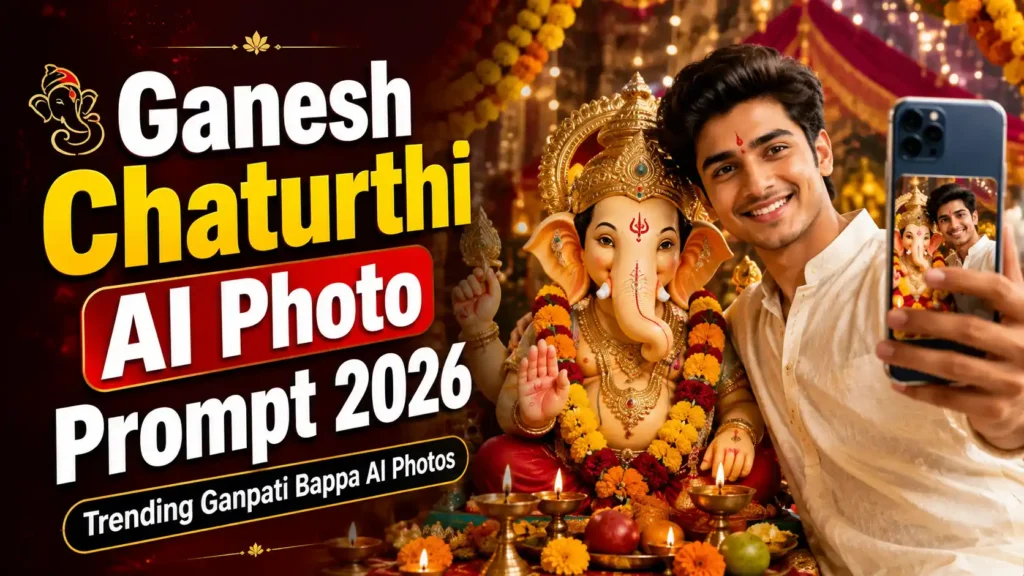
गणेश चतुर्थी के मौके पर अगर आप अपनी फोटो को Ganpati Bappa के साथ एक शानदार और ट्रेंडिंग AI फोटो में बदलना चाहते हैं, तो अब यह काम AI Photo Editing Prompts की मदद से आसानी से किया जा सकता है। सोशल मीडिया पर इन दिनों भगवान गणेश के साथ बनाई गई Creative AI Photos काफी पसंद की जा रही हैं।
अगर आप भी अपनी Normal Photo को Ganesh Chaturthi Special Photo में बदलना चाहते हैं, तो इस आर्टिकल में दिए गए Ganesh Chaturthi AI Photo Editing Prompt 2026 को किसी AI Image Editor में इस्तेमाल कर सकते हैं। इससे आपकी फोटो में गणपति बप्पा की भव्य प्रतिमा, फूलों की सजावट, दीपक और त्योहार जैसा शानदार माहौल जोड़ा जा सकता है।
Ganesh Chaturthi AI Photo Editing Prompt 2026 क्या है?
Ganesh Chaturthi AI Photo Editing Prompt 2026 एक ऐसा AI Prompt है जिसकी मदद से आप अपनी सामान्य फोटो को गणेश चतुर्थी के खास लुक में बदल सकते हैं।
AI Editor में अपनी फोटो अपलोड करके नीचे दिए गए Prompt का इस्तेमाल करने पर फोटो में गणपति बप्पा, फूलों की सजावट, रोशनी, मंदिर जैसा बैकग्राउंड और Festive Look जोड़ा जा सकता है।
सबसे अच्छी बात यह है कि इसमें आपकी फोटो का चेहरा और पहचान प्राकृतिक बनाए रखने के लिए AI को स्पष्ट निर्देश दिए जा सकते हैं।
Trending Ganpati Bappa AI Photo Prompts 2026
नीचे अलग-अलग स्टाइल के कुछ Trending Ganpati Bappa AI Photo Prompts दिए गए हैं। आप अपनी पसंद के अनुसार किसी भी Prompt को कॉपी करके इस्तेमाल कर सकते हैं।
1. Ganpati Bappa के साथ Traditional Photo Prompt
Editing Prompt:
मेरी इस फोटो को एक सुंदर और भव्य Ganesh Chaturthi celebration photo में बदलें। मेरे चेहरे, facial features, skin tone और identity को बिल्कुल natural और realistic रखें। मेरे पीछे एक सुंदर और दिव्य Ganpati Bappa की प्रतिमा रखें। चारों तरफ लाल और पीले फूलों की सजावट, गेंदे की माला, दीपक और warm festive lights दिखाई दें। Background में traditional Indian temple decoration और elegant festive atmosphere हो। फोटो photorealistic, high detail, natural skin texture, realistic lighting, cinematic composition और premium DSLR photography जैसी दिखनी चाहिए। मेरे चेहरे को बिल्कुल न बदलें और image को natural रखें।
2. Royal Ganpati Bappa AI Photo Prompt
Editing Prompt:
Transform my uploaded photo into a luxurious and royal Ganesh Chaturthi celebration portrait. Keep my original face, facial identity, hairstyle and natural skin texture unchanged. Place a magnificent Ganpati Bappa idol behind me with elegant golden decorations, marigold flowers, traditional ornaments and glowing diyas. Create a premium royal Indian festive background with warm golden lighting and cinematic depth of field. Make the final image ultra realistic, highly detailed, photorealistic and suitable for a professional social media post. Do not distort my face or body.
3. Ganpati Bappa के साथ Instagram Trending Photo
Editing Prompt:
Edit my uploaded photo into a viral Instagram-style Ganesh Chaturthi portrait. Keep my face and identity exactly the same as the original photo. Add a beautiful Ganpati Bappa idol beside me, surrounded by colorful flowers, decorative lights and traditional Ganesh Chaturthi decorations. Use cinematic lighting, realistic shadows, soft background blur and a premium festive atmosphere. Make the image look like a professionally captured DSLR photograph, highly realistic, sharp and detailed. Avoid artificial-looking skin and facial distortion.
4. Ganesh Chaturthi Traditional Indian Look
Editing Prompt:
Turn my photo into a traditional Indian Ganesh Chaturthi celebration scene. Preserve my original facial features, expression, skin tone and identity. Add a beautifully decorated Ganpati Bappa idol in the background with marigold garlands, red flowers, diyas and traditional decorations. Use warm natural lighting and an authentic Indian festive environment. Make the final image photorealistic, elegant, emotional and cinematic with realistic details and natural colors.
5. Ganpati Bappa Visarjan AI Photo Prompt
Editing Prompt:
Transform my photo into a realistic Ganpati Visarjan celebration scene. Keep my original face and identity completely unchanged. Place me in a joyful Ganesh Chaturthi procession surrounded by devotees, decorated Ganpati Bappa idol, flowers, traditional decorations and festive lights. Add a realistic Indian street celebration atmosphere with cinematic lighting and natural crowd details. The final image should look like a real professional photograph, highly detailed and photorealistic. Keep my facial features natural and avoid distortion.
AI Photo में Face को Realistic कैसे रखें?
AI Photo बनाते समय सबसे बड़ी समस्या अक्सर face distortion की होती है। इसे कम करने के लिए Prompt में कुछ स्पष्ट instructions देना जरूरी है।
आप Prompt में यह लाइन जरूर जोड़ सकते हैं:
Keep my original face, facial features, skin tone and identity exactly unchanged. Do not alter my face, eyes, nose, lips or hairstyle. Maintain realistic skin texture and natural facial proportions.
इससे AI को आपकी original photo के facial details को ज्यादा सुरक्षित रखने का निर्देश मिलता है।
Ganesh Chaturthi AI Photo बनाने के लिए क्या चाहिए?
AI Photo बनाने के लिए आपको केवल कुछ चीजों की जरूरत होगी:
• आपकी एक साफ और अच्छी quality वाली फोटो
• कोई AI Image Editing Tool
• ऊपर दिया गया Ganpati Bappa AI Prompt
• इंटरनेट कनेक्शन
बेहतर परिणाम के लिए ऐसी फोटो इस्तेमाल करें जिसमें चेहरा साफ दिखाई देता हो और फोटो ज्यादा धुंधली न हो।
Ganesh Chaturthi AI Photo कैसे बनाएं?
Step 1: अपनी Photo चुनें
सबसे पहले अपनी एक साफ और अच्छी quality वाली फोटो चुनें। Portrait या Full HD फोटो का इस्तेमाल करने पर बेहतर result मिल सकता है।
Step 2: AI Image Editor खोलें
अपने पसंदीदा AI Image Editing Tool में जाएं और Image Editing या Image Generation का विकल्प चुनें।
Step 3: Photo Upload करें
अब अपनी original photo को AI Editor में upload करें।
Step 4: AI Prompt Paste करें
ऊपर दिए गए किसी भी Ganesh Chaturthi AI Photo Editing Prompt 2026 को copy करके prompt box में paste करें।
Step 5: Image Generate करें
अब Generate या Create विकल्प पर क्लिक करें और AI को आपकी photo edit करने दें।
Step 6: Photo को Save करें
AI द्वारा तैयार की गई image पसंद आने पर उसे अपने device में save करके Instagram, Facebook, WhatsApp या अन्य social media platforms पर शेयर कर सकते हैं।
Ganpati Bappa AI Photo को और ज्यादा Trending कैसे बनाएं?
अगर आप अपनी AI Photo को ज्यादा attractive बनाना चाहते हैं, तो Prompt में cinematic lighting, realistic skin texture, DSLR photography, shallow depth of field, premium festive background और ultra realistic details जैसे शब्द जोड़ सकते हैं।
हालांकि Prompt में बहुत ज्यादा अलग-अलग instructions डालने के बजाय एक clear और detailed prompt इस्तेमाल करना बेहतर रहता है।
Ganesh Chaturthi AI Photo के लिए Best Photo Tips
• साफ और high-resolution photo इस्तेमाल करें।
• चेहरे पर बहुत ज्यादा shadow वाली फोटो से बचें।
• सामने से ली गई photo बेहतर result दे सकती है।
• Prompt में face preservation instructions जरूर रखें।
• Background के लिए realistic और detailed description दें।
• बहुत ज्यादा filters लगाने से बचें।
• Final image को social media पर पोस्ट करने से पहले उसकी quality जरूर check करें।
FAQs
Ganesh Chaturthi AI Photo Editing Prompt 2026 क्या है?
यह एक AI Prompt है जिसकी मदद से आपकी सामान्य photo को Ganesh Chaturthi और Ganpati Bappa theme वाली creative और realistic photo में बदला जा सकता है।
क्या AI से Ganpati Bappa के साथ अपनी फोटो बना सकते हैं?
हाँ, AI Image Editing Tools की मदद से अपनी फोटो में Ganpati Bappa की प्रतिमा, festive decorations, flowers, diyas और अन्य elements जोड़कर creative photo बनाई जा सकती है।
Ganpati Bappa AI Photo के लिए कैसी फोटो इस्तेमाल करें?
साफ, अच्छी रोशनी वाली और high-resolution photo इस्तेमाल करना बेहतर रहता है। चेहरे की details जितनी स्पष्ट होंगी, AI editing का result उतना अच्छा हो सकता है।
AI Photo में चेहरा बदलने से कैसे बचाएं?
Prompt में यह निर्देश जोड़ें कि original face, facial features, skin tone और identity को unchanged रखा जाए। इससे AI को चेहरे को preserve करने का स्पष्ट instruction मिलता है।
क्या Ganesh Chaturthi AI Photo Instagram पर शेयर कर सकते हैं?
हाँ, अपनी बनाई हुई AI photo को Instagram, Facebook, WhatsApp Status और अन्य social media platforms पर शेयर कर सकते हैं। हालांकि जिस AI tool का इस्तेमाल कर रहे हैं, उसकी terms और usage rights का ध्यान रखें।
Conclusion
Ganesh Chaturthi AI Photo Editing Prompt 2026 की मदद से आप अपनी सामान्य फोटो को एक शानदार और festive Ganpati Bappa Photo में बदल सकते हैं। Traditional, Royal, Instagram Trending और Ganpati Visarjan जैसे अलग-अलग styles के prompts के जरिए आप अपनी पसंद की AI Photo तैयार कर सकते हैं।
अगर आप इस गणेश चतुर्थी पर अपनी एक अलग और आकर्षक फोटो बनाना चाहते हैं, तो ऊपर दिए गए prompts को जरूर try करें। अपनी original photo को सुरक्षित रखने के लिए हमेशा face preservation instructions का इस्तेमाल करें और final image को शेयर करने से पहले एक बार जरूर check करें।