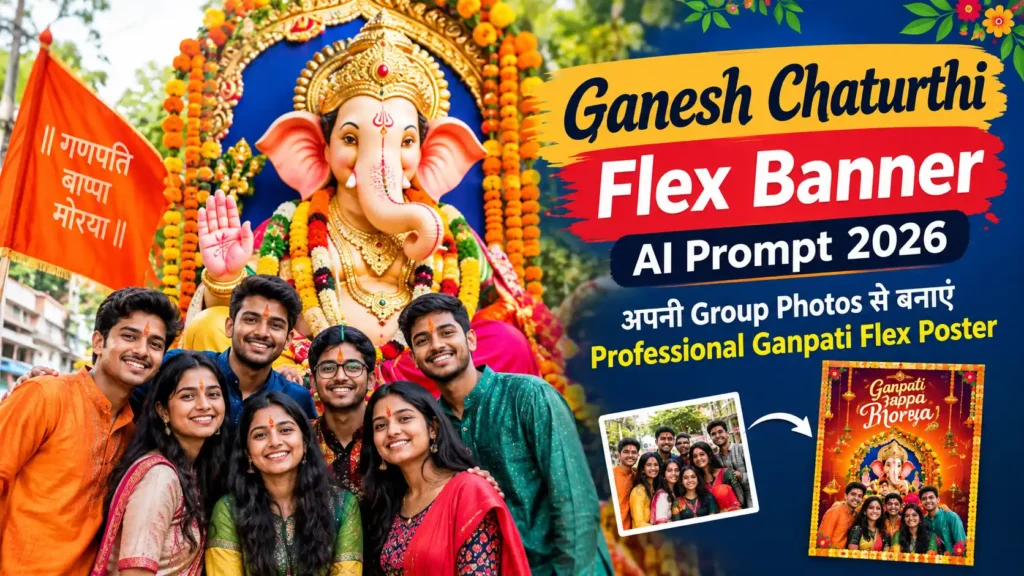
गणेश चतुर्थी के मौके पर अगर आप अपने दोस्तों, परिवार या गणपति मंडल की Group Photos से एक शानदार Flex Banner या Ganpati Poster बनाना चाहते हैं, तो अब इसके लिए किसी Professional Graphic Designer की जरूरत नहीं है। AI Image Generator की मदद से आप अपनी फोटो को एक खूबसूरत और आकर्षक गणेश चतुर्थी Flex Poster में बदल सकते हैं।
आप अपनी Group Photo को AI Tool में Upload करके एक सही Ganesh Chaturthi Flex Banner AI Prompt इस्तेमाल कर सकते हैं। AI आपकी फोटो के लोगों के चेहरे और उनकी पहचान को बनाए रखते हुए एक Festive Ganpati Poster जैसा डिजाइन तैयार करने में मदद कर सकता है।
इस आर्टिकल में हम आपको ऐसे AI Editing Prompts देंगे, जिनकी मदद से आप अपनी Group Photo से Professional Ganpati Flex Banner बना सकते हैं।
Ganesh Chaturthi Flex Banner AI Prompt क्या है?
Ganesh Chaturthi Flex Banner AI Prompt एक ऐसा Text Instruction है, जिसे AI Image Generator को दिया जाता है ताकि वह आपकी सामान्य Group Photo को गणेश चतुर्थी के Professional Flex Poster में बदल सके।
इस Prompt में आप Ganpati decoration, फूलों की सजावट, दीपक, रंगीन Lighting, Traditional Background, Festive Elements और Poster Design जैसी चीजें शामिल कर सकते हैं।
सबसे अच्छी बात यह है कि आप अपनी Group Photo को मुख्य Focus में रखते हुए उसके आसपास गणेश चतुर्थी का शानदार वातावरण तैयार कर सकते हैं।
अपनी Group Photo से Ganpati Flex Poster कैसे बनाएं?
Step 1: अपनी Group Photo चुनें
सबसे पहले ऐसी Group Photo चुनें जिसमें सभी लोगों के चेहरे साफ दिखाई दे रहे हों। High Quality Photo का इस्तेमाल करने पर AI से बेहतर Result मिलने की संभावना रहती है।
Step 2: AI Image Generator में Photo Upload करें
अपने पसंदीदा AI Image Editing Tool में Group Photo Upload करें। इसके बाद नीचे दिए गए Editing Prompt को इस्तेमाल करें।
Step 3: Ganesh Chaturthi Prompt डालें
AI Tool में Photo Upload करने के बाद नीचे दिए गए Prompt को Paste करें। जरूरत के अनुसार इसमें अपना नाम, मंडल का नाम या साल जैसी जानकारी जोड़ सकते हैं।
Ganesh Chaturthi Flex Banner AI Editing Prompt
Prompt:
Transform the uploaded group photo into a premium and professional Ganesh Chaturthi flex banner poster. Keep every person from the original group photo clearly recognizable and preserve their facial identity, natural facial features, hairstyle, skin tone, expressions and clothing without changing or replacing the people. Arrange the group naturally and elegantly in the center of the composition. Create a grand Lord Ganesha festive theme in the background with a beautifully decorated Ganpati idol, marigold flowers, traditional torans, diyas, warm glowing lights, subtle red and golden festive decorations and an elegant Indian celebration atmosphere. Add a premium stage-like background with realistic depth, cinematic lighting and sophisticated decorative elements. Make the overall design look like a professionally designed Ganesh Chaturthi flex banner for a community celebration. Leave a clean and attractive space at the top for the heading “गणेश चतुर्थी 2026” and a suitable space at the bottom for the group or Ganpati Mandal name. Use realistic photography, high detail, sharp faces, natural skin texture, balanced composition, vibrant but elegant colors, professional poster design, print-ready quality, 16:9 landscape composition. Do not add random people, do not distort faces, do not change the identity of anyone, do not create duplicate persons, do not add unnecessary text, no watermark, no logo.
Ganpati Mandal के लिए अलग AI Prompt
अगर आप अपनी पूरी Group Photo को किसी Ganpati Mandal Flex Banner में इस्तेमाल करना चाहते हैं, तो यह Prompt भी इस्तेमाल कर सकते हैं।
Create a professional Ganesh Chaturthi 2026 celebration flex banner using the uploaded group photo as the main subject. Preserve all people exactly as they appear in the original image, including facial identity, facial features, hairstyles, skin tones and clothing. Place the group in a premium festive composition with a majestic Lord Ganesha idol in the background, surrounded by marigold garlands, flowers, traditional Indian decorations, diyas and warm golden lights. Create a grand Ganpati celebration stage atmosphere with realistic lighting, depth and elegant decorative details. Add a premium red, orange and golden festive theme suitable for a Ganpati Mandal celebration. Keep enough clean space for adding the Mandal name, event details and “गणेश चतुर्थी 2026”. Make it look like a professionally printed flex banner, highly realistic, sharp, detailed, cinematic and visually impressive. Landscape 16:9 composition, high-resolution print quality, no watermark, no unnecessary text, no distorted faces, no extra people.
Family Group Photo के लिए Ganesh Chaturthi Prompt
अगर Flex Banner में परिवार की Group Photo इस्तेमाल करनी है, तो यह Prompt बेहतर रहेगा।
Turn the uploaded family group photo into an elegant Ganesh Chaturthi 2026 celebration poster. Preserve the identity and natural appearance of every family member exactly as shown in the original photo. Do not alter faces, expressions, hairstyles, skin tones or clothing. Create a beautiful traditional Indian festive background featuring a graceful Lord Ganesha idol, marigold flowers, diyas, decorative lights and elegant Ganpati decorations. Place the family naturally in the foreground with balanced spacing and realistic proportions. Add warm cinematic lighting and a premium festive atmosphere. Keep clean space for the text “गणेश चतुर्थी 2026” and family name. Professional flex banner design, realistic photography, high detail, sharp faces, sophisticated composition, vibrant festive look, landscape 16:9, print-ready quality, no watermark and no random text.
AI Ganpati Poster को और Professional बनाने के Tips
- High Quality Photo इस्तेमाल करें: धुंधली या बहुत Low Resolution वाली फोटो দিলে Final Result भी कमजोर हो सकता है।
- चेहरा स्पष्ट रखें: Group Photo में सभी लोगों के चेहरे जितने साफ होंगे, AI के लिए उन्हें Preserve करना उतना आसान होगा।
- बहुत ज्यादा Elements न जोड़ें: Prompt में जरूरत से ज्यादा Decoration देने पर Poster ज्यादा Crowded दिखाई दे सकता है।
- Text बाद में जोड़ें: AI से पूरा Text Generate करवाने के बजाय Poster का Background और Photo AI से तैयार करके बाद में Canva या किसी दूसरे Design Tool से सही Text जोड़ना बेहतर हो सकता है।
- Landscape Format रखें: Flex Banner के लिए 16:9 या जरूरत के अनुसार Landscape Ratio इस्तेमाल किया जा सकता है।
Ganesh Chaturthi Flex Banner में कौन-कौन सी Details जोड़ सकते हैं?
आप अपने Poster में जरूरत के अनुसार ये Details बाद में जोड़ सकते हैं:
- गणेश चतुर्थी 2026
- गणपति बप्पा मोरया
- Ganpati Mandal Name
- Family Name
- Puja Date
- Visarjan Date
- कार्यक्रम का समय
- स्थान
- आयोजक का नाम
- स्वागत संदेश
FAQs
क्या Group Photo से Ganesh Chaturthi Flex Banner बनाया जा सकता है?
हाँ, AI Image Editing Tool की मदद से अपनी Group Photo को Ganesh Chaturthi Theme वाले Professional Poster में बदला जा सकता है।
क्या AI लोगों के चेहरे को बदल सकता है?
AI Image Editing के दौरान कभी-कभी चेहरे में बदलाव हो सकता है। इसलिए Prompt में facial identity और original appearance preserve करने की स्पष्ट instruction देना बेहतर है।
Ganpati Flex Banner के लिए कौन सा Photo Ratio अच्छा है?
Landscape Flex Banner के लिए 16:9 एक अच्छा starting format है। हालांकि वास्तविक Flex Printing के लिए अपने Printer या Designer के अनुसार final dimensions तय करें।
क्या AI से Poster में Hindi Text भी जोड़ सकते हैं?
कुछ AI Tools Hindi Text generate कर सकते हैं, लेकिन Text की spelling और layout हमेशा सही নাও হতে পারে। इसलिए महत्वपूर्ण जानकारी बाद में किसी Design Tool में जोड़ना बेहतर है।
क्या Family Photo से भी Ganpati Poster बनाया जा सकता है?
हाँ। Family Group Photo को Traditional Ganesh Chaturthi Background के साथ इस्तेमाल करके एक सुंदर Family Ganpati Poster बनाया जा सकता है।
Conclusion
अब अपनी Group Photo से Professional Ganesh Chaturthi Flex Banner बनाना काफी आसान हो गया है। सही Photo और एक अच्छी AI Editing Prompt की मदद से आप अपने परिवार, दोस्तों या Ganpati Mandal के लिए आकर्षक Festive Poster तैयार कर सकते हैं।
ऊपर दिए गए Prompts में अपनी जरूरत के अनुसार Mandal Name, Family Name और Event Details जोड़ सकते हैं। बेहतर Result के लिए हमेशा साफ और High Quality Group Photo का इस्तेमाल करें और Final Poster में जरूरी Text को बाद में सही तरीके से Edit करें।